

X98 Solar-Assisted GPS Speedometer
Your speed.
Easy to see in MPH.
Keep a separate GPS speed readout in view, with automatic brightness and a compact dashboard footprint.
- MPH / KMH with feet / meters and °F / °C settings
- GPS speed without an OBD data connection
- Rechargeable battery with USB-C and solar assistance
Order X98 here for $39.99. Review shipping and returns before checkout.
GPS reception is required. USB-C is the main charging method; solar power assists charging.
A CLEAR VIEW OF YOUR SPEED
Choose MPH.
Keep the number in view.
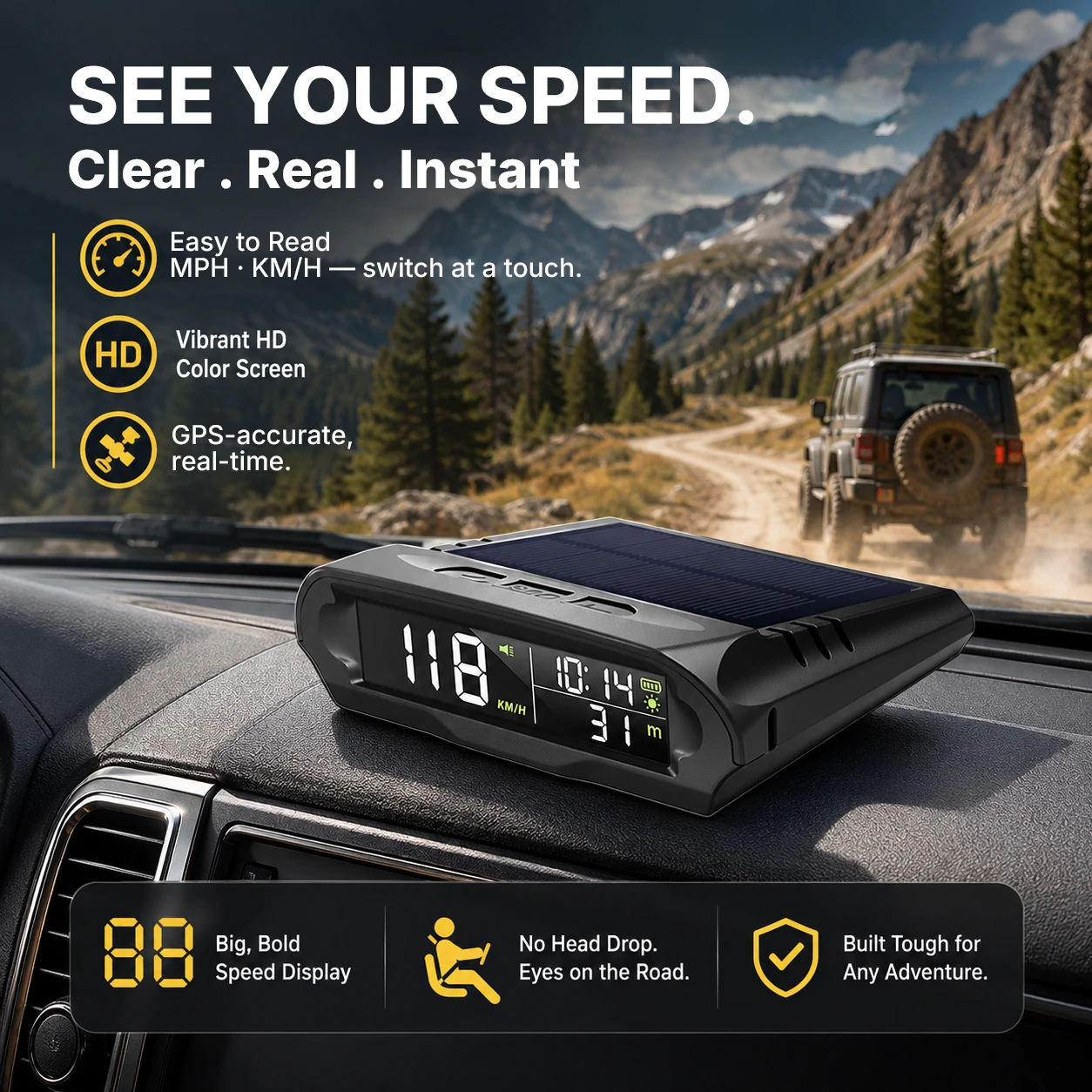
Read GPS-based speed on a separate dashboard display. Set the units for your drive and position the unit where it is easy to glance at without blocking the road view.
Your preferred units.
Choose MPH or KM/H, altitude in feet or meters, and temperature in °F or °C.
Brightness that adjusts.
Automatic brightness helps adapt the display between daytime and nighttime use.
Reminders you set.
Configure an overspeed threshold and a timed driving-break reminder before you set off.
SEE THE ACTUAL DISPLAY
Watch X98
on the dashboard.
The supplied product video shows the device and its MPH speed display in use.
Review the screen, dashboard placement and charging setup before you choose.
DAYTIME TO AFTER DARK
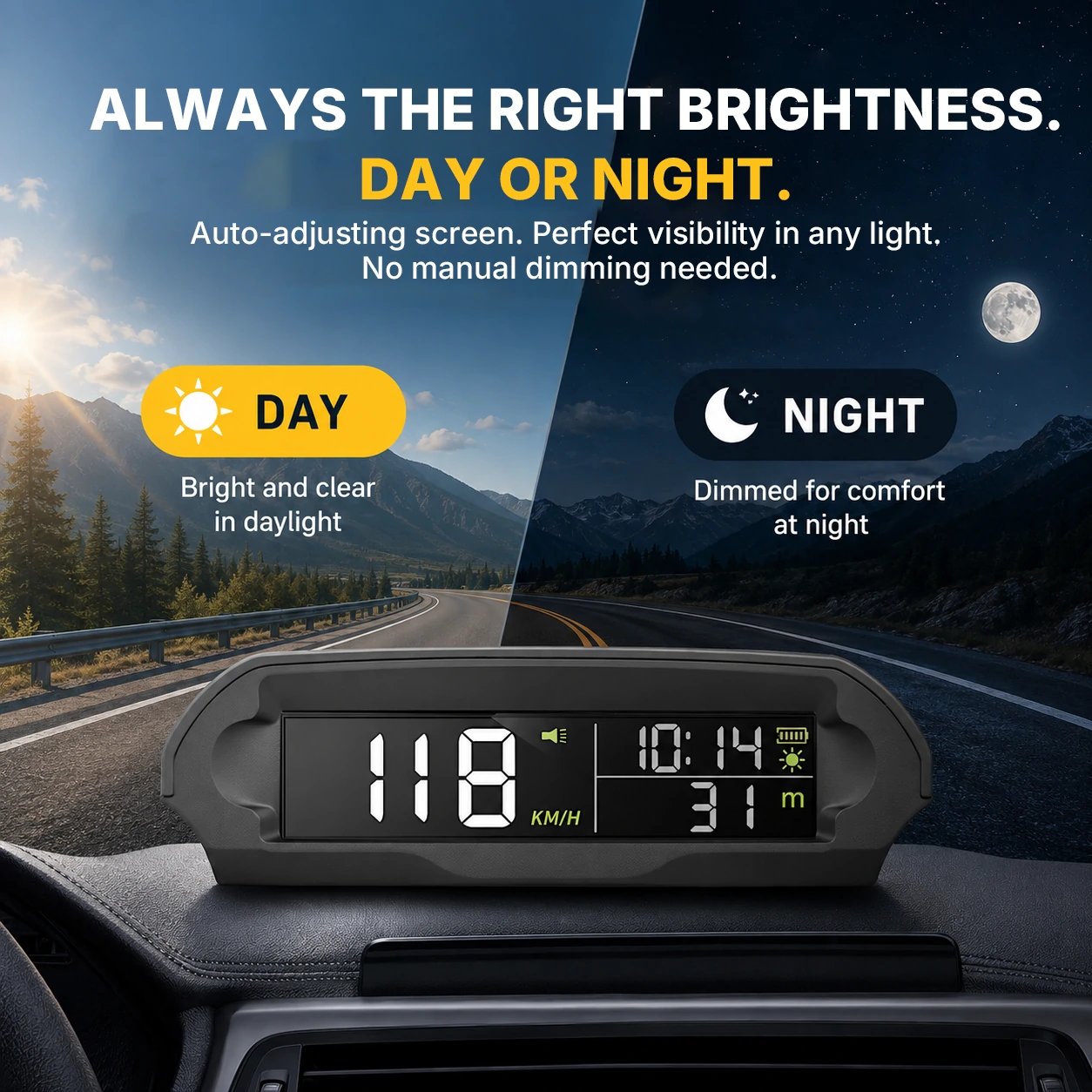
Automatic brightness.
A dedicated readout.
X98 adjusts display brightness automatically. The V4 manual also describes a manual dim/bright setting, so you can review the available controls before your first drive.
USB-C FIRST. SOLAR ASSISTANCE TOO.
Recharge when needed.
Let sunlight help.
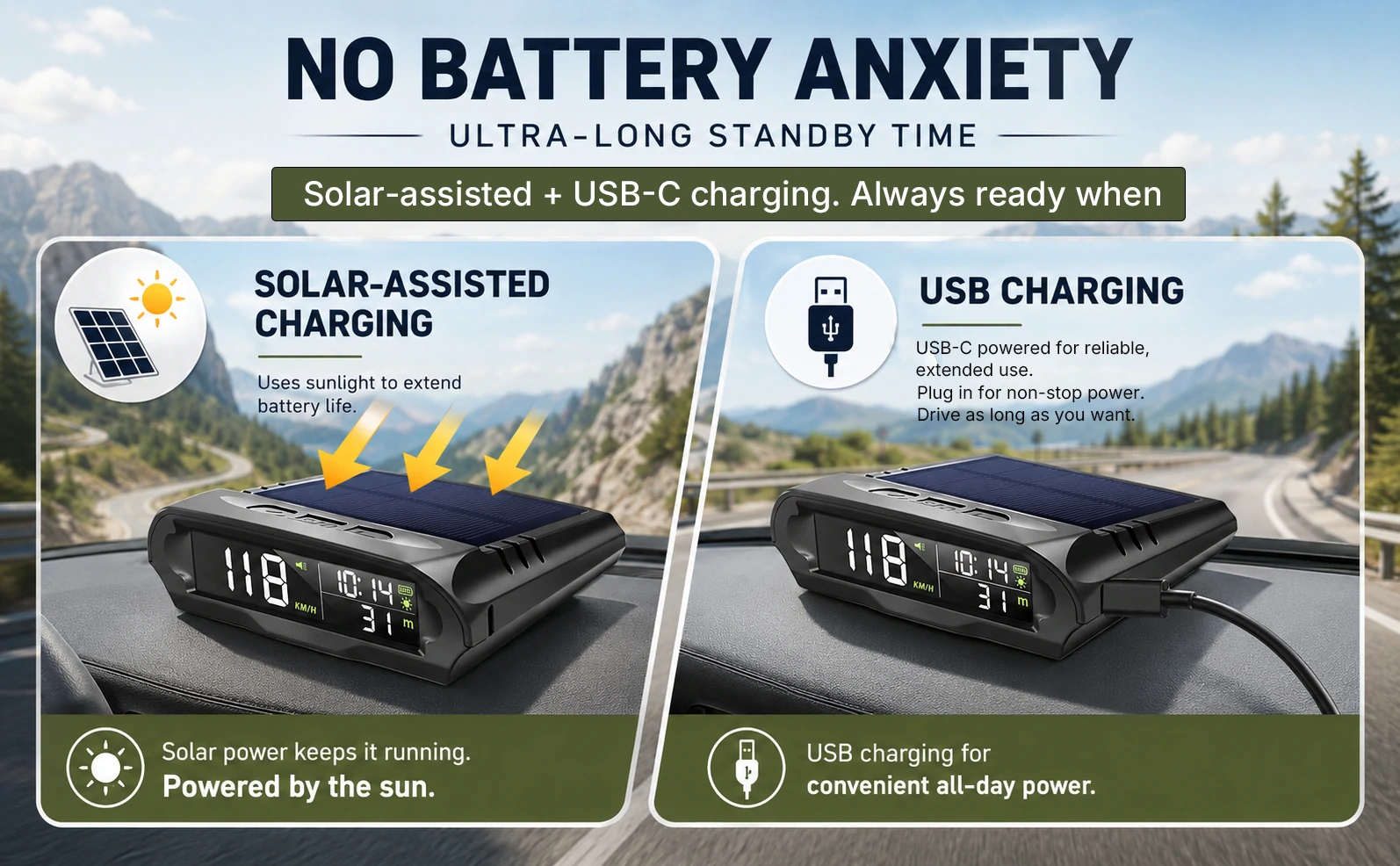
The built-in solar panel supports the internal rechargeable battery. USB-C remains the main charging method, particularly when sunlight is limited or you need to recharge before a trip.
Plan your power.
Use a 5 V input as specified in the manual. Battery runtime depends on use, sunlight and installation; solar assistance does not guarantee continuous operation.
SET REMINDERS FOR YOUR DRIVE
Your speed threshold.
Your break reminder.
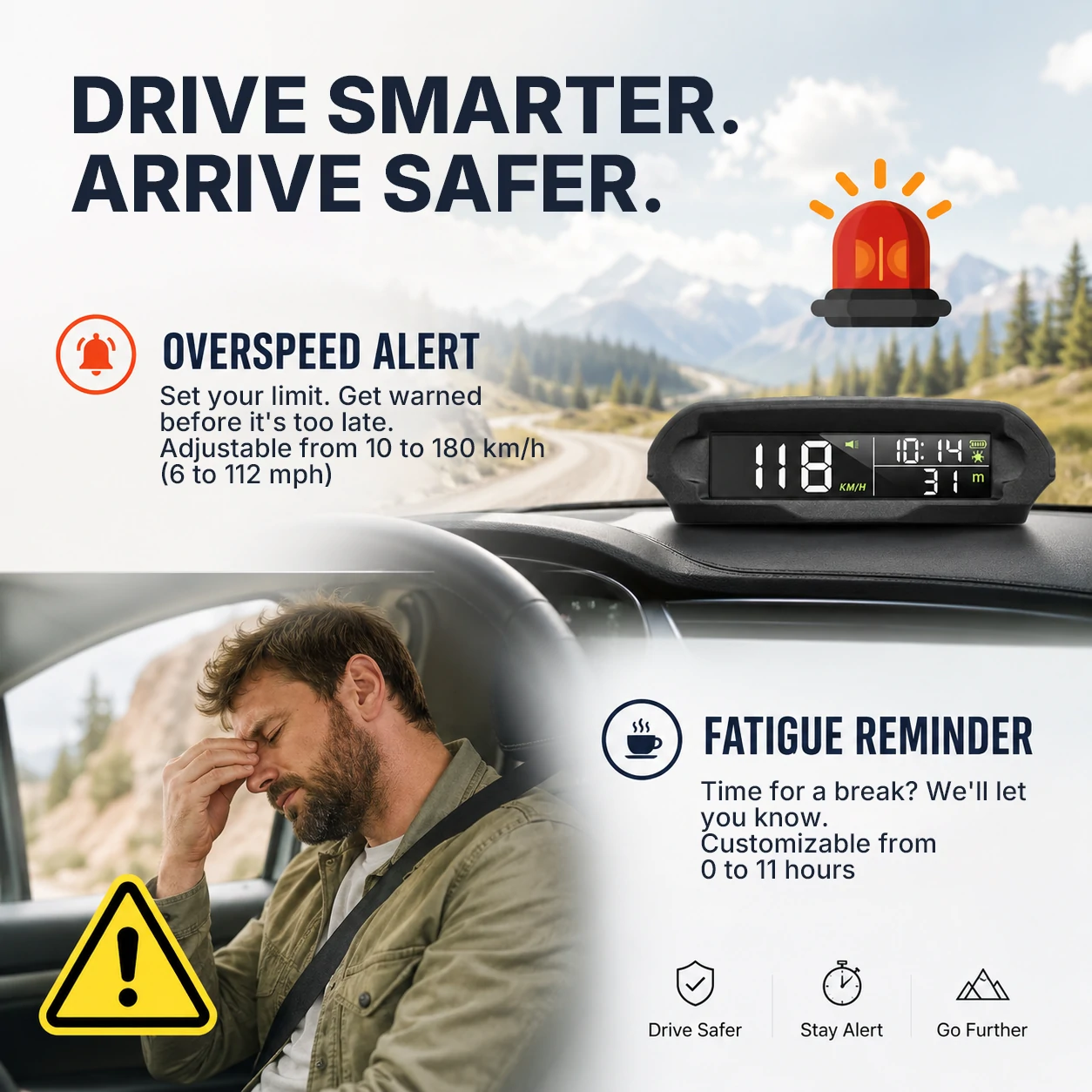
Set the overspeed alert to your chosen threshold and configure a timed driving-break reminder. Adjust settings while parked, then keep your attention on the road.
Know what the alerts do.
The speed alert uses your setting, rather than detecting the posted speed limit. The break reminder is a timer, rather than a drowsiness detector.
CHARGE · PLACE · SET YOUR UNITS
Start with the right setup.
Charge and choose a position.
Use the specified 5 V USB-C input. Secure the unit on a suitable dashboard surface where it will not obstruct controls, airbags or the road view.
Wait for GPS positioning.
Start in an open area with a clear view of the sky. Allow GPS positioning to complete before checking the speed and time display.
Set MPH, feet and °F.
Follow the V4 manual to enter settings, choose your units, adjust local time and save. Check the on-screen unit labels before driving.
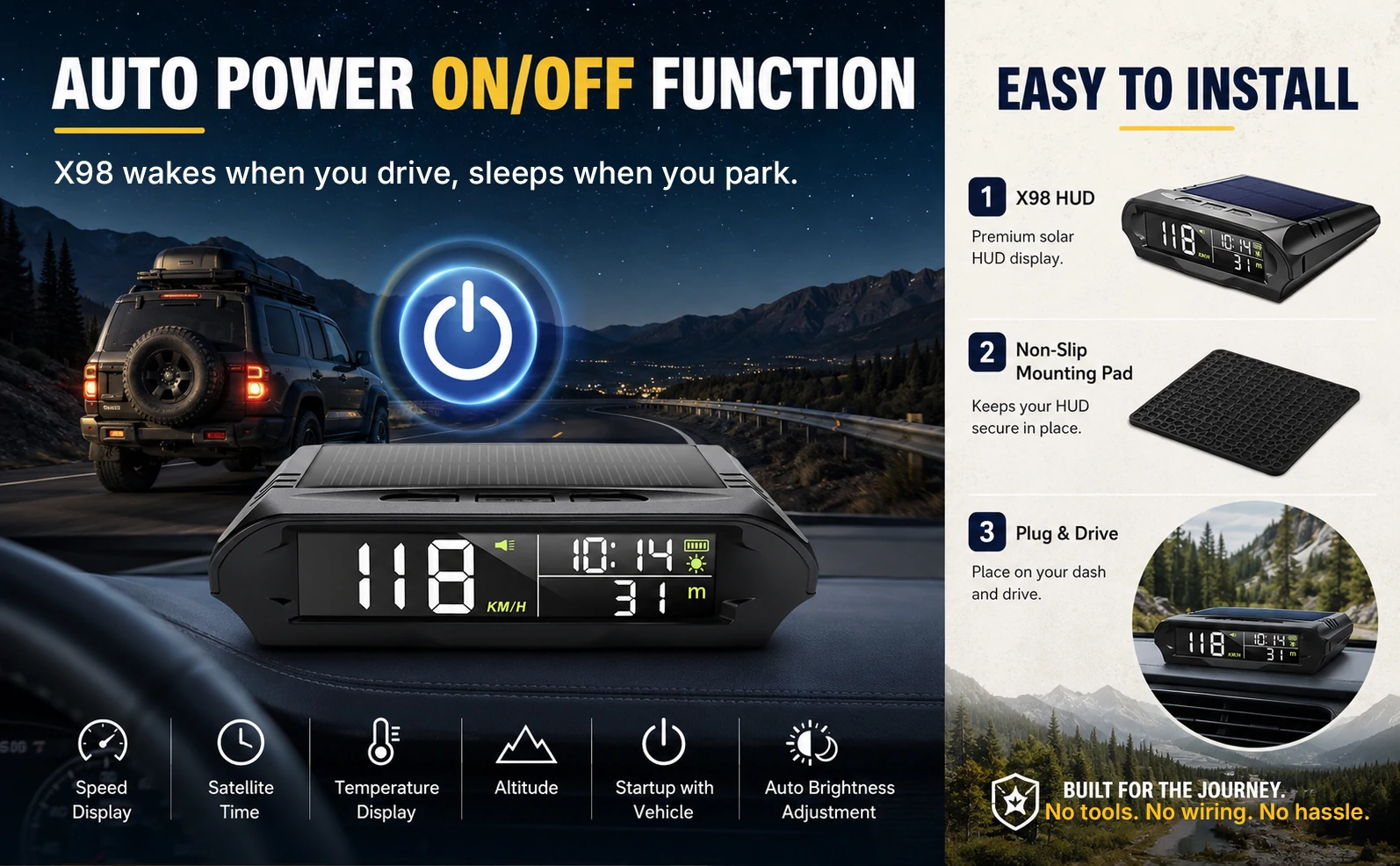
What’s included?
The V4 manual lists the X98 display, power cable, double-sided tape and user manual. Confirm the supplied components on the current official listing.
AT A GLANCE
Small footprint. Useful details.
- Model
- X98 · V4 manual supplied
- Speed source
- GPS positioning
- Display type
- Direct-view dashboard screen
- Speed units
- MPH / KMH
- Altitude / temperature units
- Feet / meters · °F / °C
- Brightness
- Automatic adjustment; manual dim/bright control
- Reminders
- User-set overspeed alert and driving-break timer
- Power
- Rechargeable 1000 mAh battery; USB-C with solar assistance
- Approximate size
- 3.94 × 3.15 × 1.18 in / 10 × 8 × 3 cm
- Weight
- 96 g / approximately 3.4 oz
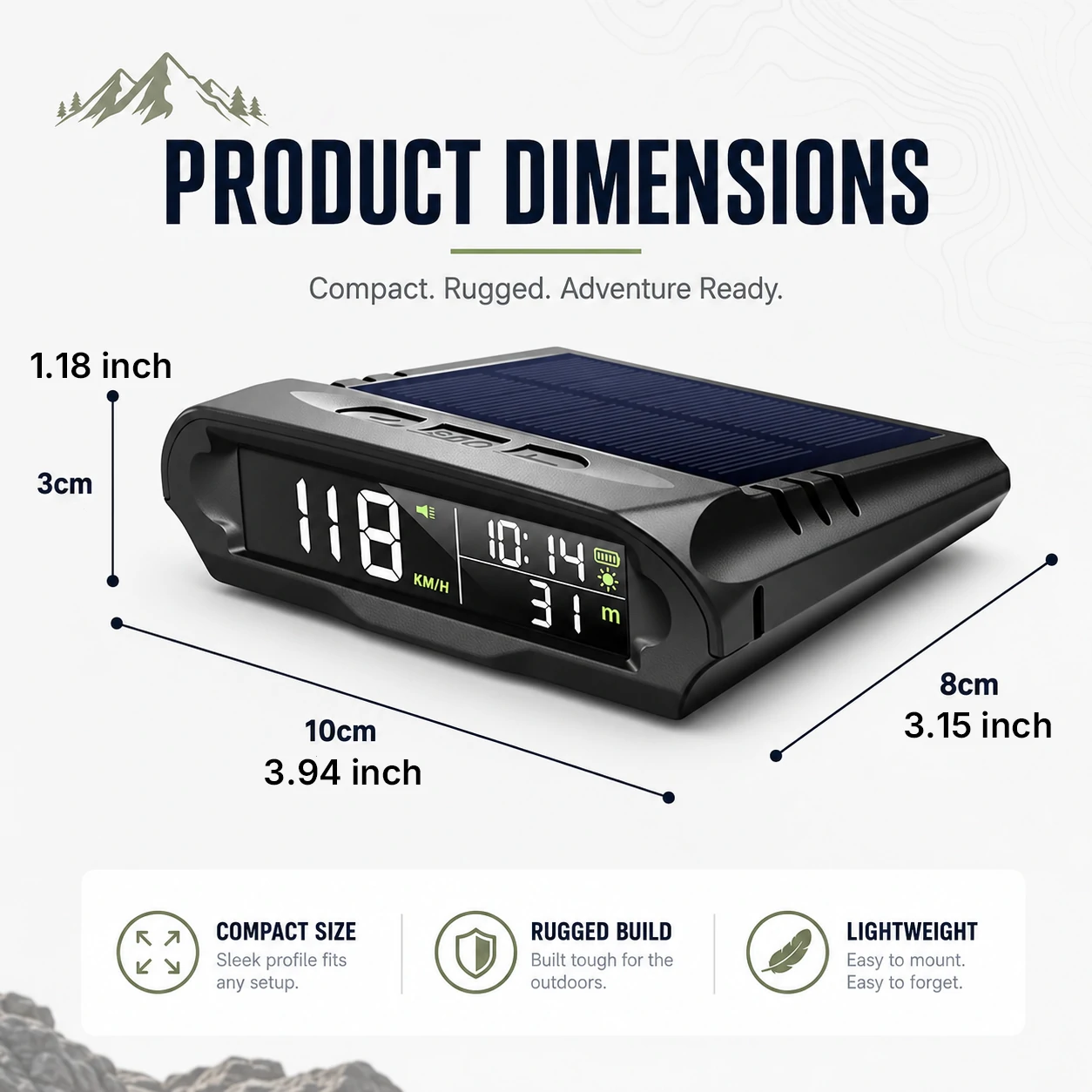
Dimensions are based on the supplied product artwork. Settings and operation should follow the manual matching your device version.
CHOOSE THE INFORMATION YOU NEED
Speed display, or speed and angles?
X98 · GPS speed at a glance
A compact dashboard speed display with solar-assisted charging, selectable units and user-set reminders.
Review X98 setup →M60 · GPS speed + pitch & roll
Looking for driving information alongside vehicle angle readings? Explore the M60 display and its setup requirements.
Explore M60 →Explore the M50 pitch-and-roll display → · Browse all driving displays →
BEFORE YOU ORDER
Your X98 questions, answered.
Check units, GPS reception, power and display requirements.
Can X98 show miles per hour?
Yes. The X98 V4 manual lists MPH and KM/H speed units, feet and meters for altitude, and Fahrenheit and Celsius for temperature. Set your preferred units before driving and check the on-screen unit indicator.
Does X98 need an OBD connection or phone app?
X98 uses GPS for its speed display and does not need vehicle OBD data or a phone app for normal operation. It still needs battery power and charging. Allow GPS positioning to complete before checking the reading.
Does it project the speed onto the windshield?
X98 has a direct-view display that sits on the dashboard. Read the speed on the unit’s screen. The product images show the on-device display, rather than a windshield projection.
Is X98 a navigation device?
X98 displays GPS-based speed and supporting information such as time and altitude. It is not a map or turn-by-turn navigation system.
Does solar assistance mean it never needs USB charging?
No. USB-C is the main charging method, with solar assistance supporting the internal 1000 mAh battery. Sunlight, placement and operating conditions affect runtime. Use only a 5 V input as directed in the manual.
Why might the GPS reading take time or disappear?
A GPS receiver needs satellite reception. Establish the first fix in an open area, and check placement if reception is poor. Covered parking, tunnels and other obstructions can interrupt reception. Keep using your vehicle’s instruments.
Does the overspeed alert know the road’s speed limit?
The alert uses a threshold you set in the device. It does not read road signs or automatically identify the posted limit. Set and check the threshold before driving.
Does the fatigue reminder detect drowsiness?
It is a timed driving-break reminder, not a drowsiness sensor. Set a suitable reminder in the settings and take breaks based on how you feel and the driving conditions.
What does the temperature value represent?
The supplied manual labels it as device temperature. It is not an engine coolant reading or a calibrated outside-air temperature gauge. The settings can alternate temperature and altitude or keep one value displayed.
What is included and where do I check order terms?
The V4 manual lists the X98 display, power cable, double-sided tape and user manual. Check the current official store listing for the supplied components, price, availability, shipping and returns. Contact AUTOSIRS Support for model-specific setup questions.
Ready to put X98 in view?
Order X98 here for $39.99. Review shipping and returns before checkout.