

Cameras
WF102 Solar WiFi Backup CameraNo Drilling, No 12V Wiring
A steel plate on the trailer, a 10-magnet base, and your phone as the monitor.
- 1080P rear view, 120° horizontal / 150° diagonal lens
- 5.5V 1W solar panel plus a 9600mAh battery
- Direct WiFi to the BackCam app — no router, no cloud plan
- IP67 body, 850nm infrared night vision
Order WF102 here for $99.99. Review shipping and returns before checkout.
What a WF102 solar WiFi backup camera actually is
The WF102 solar WiFi backup camera is a self-contained rear-view camera. It has its own WiFi access point, its own 9600mAh battery, its own solar panel and its own magnetic mount. There is no monitor in the box and no cable running to the tow vehicle, because the screen is the phone you already carry.
That last point is the whole design idea behind a WF102 solar WiFi backup camera. A conventional wired RV camera needs a 12V feed, a video cable the length of the trailer, and holes drilled through a wall that will never be dry again. A WF102 solar WiFi backup camera skips all three: fix a steel plate to the trailer, drop the camera on it, and watch the picture in the BackCam app.
Inside, the camera carries a 2.4G antenna on a short mast, a 1080P sensor behind a lens rated at 120° horizontal and 150° diagonal, and an 850nm infrared array that switches on automatically when the light sensor says the scene has gone dark. The body is IP67, rated from −20°C to +70°C, and weighs 635g — light enough to lift off the plate when you park and lock the trailer for the season.
No drilling: 10 magnets, one steel plate
The mounting system is the reason this unit appeals to people who do not want to modify a leased, borrowed or otherwise untouched trailer. The package includes a steel mounting plate and a base with ten strong magnets. Screw or fix the plate to the RV, then the camera snaps onto it — no bracket bolts through the shell, no sealant, no new water path — the entire mount for a WF102 solar WiFi backup camera is one plate and ten magnets.
Two limits are worth stating plainly, because they decide whether a WF102 solar WiFi backup camera will work on your rig at all. First, the magnets only hold on ferromagnetic metal — steel and iron. An aluminium trailer, a fibreglass shell or a plastic bumper will not hold the base of a WF102 solar WiFi backup camera, and the plate has to be fixed to something structural instead. Second, the antenna must not touch metal; the manual is explicit that contact with aluminium or steel badly degrades the video signal, so keep the mast clear of the wall and of the plate itself.
The camera angle is set with a knob on the right side of the body: loosen it, tilt the camera vertically until the hitch or the road behind sits where you want it, and lock it again. Set it once on a flat patch of ground and it holds.
Where the mount pays off
A rear-facing mount at the back of a travel trailer is the obvious use of a WF102 solar WiFi backup camera, but the same base moves. Hitch a fifth wheel alone and the camera can sit near the kingpin while you back under it. Load a flatbed and it watches the tail of the load. Leave the trailer at a storage lot and the camera comes home with you.
Solar assist on top, 9600mAh underneath
Power is where most wireless RV cameras fall apart, so the numbers matter. The WF102 solar WiFi backup camera carries a 9600mAh battery rated at 400mA draw in daylight with the infrared off, and 520mA once the infrared lights come on. Charging accepts 5.0 to 5.5V and up to 3000mA, so a decent USB charger refills it quickly and the included Type-C cable is all you need.
On top sits a 5.5V 1W monocrystalline panel. It is genuinely useful on a trailer stored outdoors, and it is not a replacement for the charger — the manual says so directly. Sunlight extends the working time of a WF102 solar WiFi backup camera; it does not guarantee it. Plan on a proper charge every few weeks, and on a 5–6 hour first charge out of the box.
Two protections keep the cell from being ruined by neglect. The green LEDs show level: press the red button once and four lamps read full, one lamp means charge now. Below 3.3V the first lamp starts a slow flash as a warning; below 3.2V it flashes fast for 30 seconds and then the camera shuts itself down rather than run a lithium cell flat.
There are also sleep steps, which is the practical answer to “will it be dead by spring”. After the camera is on, press the power button five times to enter sleep setup, then cycle one to ten minutes: one green flash is 1 minute, two is 3 minutes, three is 5 minutes and four is 10 minutes of stillness before standby. For a WF102 solar WiFi backup camera parked between trips, the ten-minute step is the sane choice on a WF102 solar WiFi backup camera.
The app does the rest
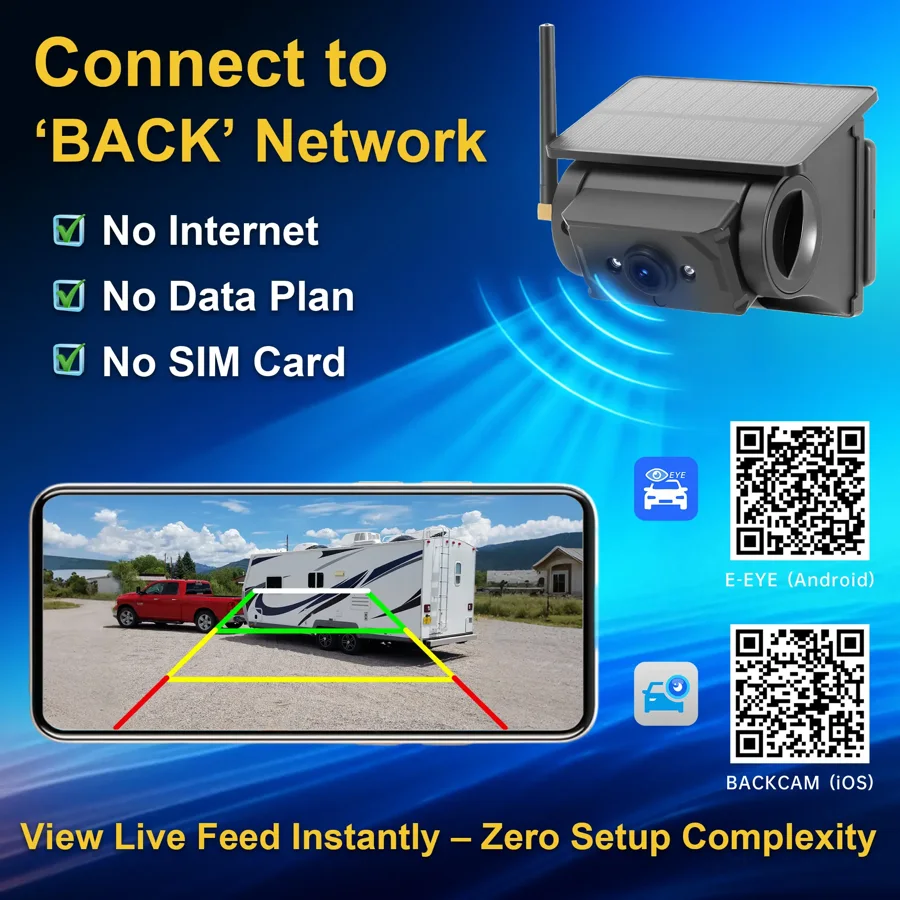
Connect once and the app becomes the monitor, the recorder and the setup menu. Power the camera on with a three-second press, join the WiFi network whose name starts with BACK, open the app, and enter the password 1234567890. The device and the app talk over their own local WiFi and never route through a data network, which is why a WF102 solar WiFi backup camera needs no subscription or SIM., which is why nothing here needs a subscription or a SIM.
Install the app first: backcam from the App Store on iOS, or E-YE from Google Play on Android — backcam is also listed in the Amazon Appstore, the Samsung Galaxy Store and on Pgyer. On either platform you have to allow location access during setup; on iOS the microphone permission is also required. Neither is used to collect data, but both are needed or the WiFi handshake fails.
Capture, record, replay, mirror
Tap the screen and a toolbar appears: capture a still, start and stop a recording, replay what you recorded, set the mirror, or open settings. On a WF102 solar WiFi backup camera the mirror menu is more flexible than most: original, horizontal mirror, vertical original, and vertical mirror image. That matters when the camera is mounted upside down under a rack, or when a rear view has to be flipped so left and right read correctly on screen.
Blind-spot box and picture tuning
The blind spot alarm area is drawn by dragging the adjustment points over the live picture, so you can mark the zone behind the trailer where a bicycle or a bollard would appear. Display settings hold image quality and bitrate capped at 1536Kbps, plus luminance, chroma, contrast and saturation, and an HD mode switch for the sharper setting. System maintenance covers exporting your configuration to a backup file, importing it back, and a factory reset.
Where this camera fits, and where it does not
Three wake-up modes decide how it behaves when you are not looking at the app. In vibration mode the camera starts when the trailer is disturbed; radar mode starts it when something moves in view; the combined mode needs either. Manual keeps it off until you press the button. A blind-spot watch overnight and a rear view on the highway use the same hardware, which is why a WF102 solar WiFi backup camera covers both jobs.
It suits a travel trailer, fifth wheel, horse trailer, truck camper or work van — anything with a steel surface and a rear blind spot worth watching. It does not replace a dash camera: there is no forward recording and no loop-over footage. It is not a cellular camera either: a WF102 solar WiFi backup camera sees only while your phone is within WiFi range of the unit, roughly 100m in open air.
Good match
Steel or iron mounting surface, phone within WiFi range, a rear blind spot you want on screen without drilling.
Not the right unit
Aluminium or fibreglass body with no steel to bolt a plate to, a dash-cam requirement, or a need to watch from another state.
Compare before buying
Want a dedicated screen instead of your phone? The AM700 wireless RV backup camera system ships with a monitor.
WF102 compared with the AM700 kit
| Spec | WF102 | AM700 |
|---|---|---|
| Display | Your phone, via the BackCam app | Dedicated monitor in the box |
| Power | 9600mAh battery + 5.5V 1W solar | Kit-supplied power |
| Mounting | Steel plate + 10-magnet base, no drilling | Bracket mount |
| Resolution | 1080P, 120°H / 150°D | Cameras with monitor system |
| Best for | Owners who want no wiring and no extra screen | Owners who want a screen on the dash |
Five-step install for the WF102 solar WiFi backup camera
- Fix the plate. Attach the steel mounting plate for the WF102 solar WiFi backup camera to a flat, ferromagnetic part of the rear wall, clear of trim and seals.
- Drop the camera on. Set the base on the plate, then loosen the right-hand knob and tilt the camera until the road behind sits mid-frame.
- Power up and charge. Long-press the red button for three seconds; the blue LED stays on. Charge for 5–6 hours before the first trip.
- Join the WiFi. Connect the phone to the network starting with BACK, open BackCam, and enter 1234567890. Allow location (and microphone on iOS).
- Set it to your routine. Choose vibration, radar or combined wake-up, set the sleep timer to 1–10 minutes, and drag the blind-spot box over the zone you care about.
The details that matter on the WF102 solar WiFi backup camera
- Video
- 1080P, 120° horizontal / 150° diagonal
- Wireless
- WiFi with 2.4G antenna, up to 100m in open air
- Battery
- 9600mAh ±20%
- Draw
- 400mA day / 520mA night with infrared
- Charging
- 5.0–5.5V, up to 3000mA, Type-C cable included
- Solar panel
- 5.5V 1W monocrystalline
- Night vision
- 850nm infrared, automatic light sensor
- Mount
- 10-magnet base on a steel plate, adjustable tilt
- Rating
- IP67, −20°C to +70°C
- Weight / size
- 635g; 4.3in wide, 3.8in long, 3in tall, 3.25in deep
- App
- BackCam (iOS) / E-YE or BackCam (Android)
- Compliance
- FCC Part 15 Class B; CE and RoHS
Questions about the WF102 solar WiFi backup camera
Does it need to be wired to the RV?
No. The WF102 solar WiFi backup camera runs from its own 9600mAh battery with solar assist and charges over USB-C. Nothing taps the trailer’s 12V system.
Will it hold on an aluminium trailer?
Not by magnet. The base needs a ferromagnetic surface, so on aluminium or fibreglass the steel plate has to be fixed to a structural part of the trailer instead.
What is the WiFi password?
1234567890. Join the network whose name starts with BACK, then open BackCam and enter that password.
How far away can I see the picture?
Up to 100m in open air with a WF102 solar WiFi backup camera. Walls, other trailers and metal between the phone and the camera all shorten that range.
Can it run on solar alone?
No. The panel extends working time; the manual says to charge the camera regularly with a charger.
How long does the battery last?
Draw is 400mA by day and 520mA with infrared at night from a 9600mAh cell, so a full charge covers a long evening of backing and watching. The sleep timer then trims standby draw.
Does it record?
Yes, from the app on a WF102 solar WiFi backup camera. Record, stop, and replay from the playback button. There is no memory card in the box.
Is the picture upside down?
Use the mirror menu: original, horizontal mirror, vertical original, or vertical mirror image, depending on how the body is mounted.
How long does the WF102 solar WiFi backup camera run on one charge?
The camera carries a 9600mAh cell and draws around 400mA in daylight with the infrared off, rising to about 520mA once the 850nm IR lamps switch on. The 5.5V 1W solar panel on top tops the cell up while the trailer sits in the sun, but the manual is clear that solar only extends working time. A WF102 solar WiFi backup camera that sleeps in a storage yard should still be topped up over Type-C before a trip, and the low-voltage cutoff shuts it down rather than letting the cell drain flat.
Will a WF102 solar WiFi backup camera reach a 30 ft trailer?
The rated link is 100 m in open air, which is far more than the length of any bumper-pull trailer, and the manual’s one hard rule is that the antennas must not touch metal. That is the failure that shows up as a stuttering picture. Mount a WF102 solar WiFi backup camera on a steel plate with the antenna clear of the shell, keep the phone or tablet inside the cab, and a 30 ft trailer is comfortably inside range.
Can two phones watch one WF102 solar WiFi backup camera?
Yes, as long as they join the same camera hotspot. The camera broadcasts a WiFi name beginning with BACK and the manual’s default password is 1234567890, so a second device in the tow vehicle can connect to the same feed. Handy when one person backs the trailer in while another watches from outside. What a WF102 solar WiFi backup camera cannot do is record: there is no card slot and no playback, only the live view inside the app.
What does a WF102 solar WiFi backup camera not do?
It does not record, does not store clips, has no cloud account and no 4G link, and it does not show a picture on a dedicated monitor because there is no monitor in the box. It is a camera plus a phone app. If you want a screen that boots straight to a picture, the AM700 wireless RV backup camera is the same camera platform with a 7-inch panel, and the AM700PRO kit adds RV leveling readings on that panel.
One plate, one camera, no holes in the trailer
A WF102 solar WiFi backup camera is the least invasive way to put a rear view on a trailer you would rather not cut into. A WF102 solar WiFi backup camera is a magnet on a steel plate, 9600mAh behind a 5.5V solar panel, 1080P and 150° of diagonal view into the app, blind-spot box you draw yourself, and a sleep timer that respects the battery when the trailer sits.
Why does the camera angle matter more than the screen? Because a reversing collision starts below the driver’s line of sight. The NHTSA overview of rollover crashes explains how a low bumper strike can lift a trailer frame, which is exactly the blind zone a WF102 solar WiFi backup camera is bought to cover.
Check the mounting surface first: steel, iron, or a place to bolt the plate. Then head to checkout, or compare it with the AM700 monitor kit and the rest of the AUTOSIRS camera range. Wondering how a device can work with no vehicle connection at all? Our guide on how a GPS speedometer works without OBD covers the same design principle.