

AM700 Wireless RV Backup Camera System
See behind your trailer.
Keep the view in front of you.
A magnetic rear camera and 7-inch monitor for backing into your campsite and lining up your trailer hitch.
- Wireless 1080p camera with infrared night vision
- Dedicated 7-inch IPS monitor — no phone app needed
- Solar-assisted camera with USB Type-C charging
Order AM700 here for $169.99. Review shipping and returns before checkout.
Magnetic attachment requires a suitable metal surface. Solar assistance does not replace USB charging.
A DEDICATED REAR VIEW
Bring the rear view
to the driver’s seat.
Position the camera behind your RV and keep its wireless feed in view on the included monitor. Your phone stays free for navigation, calls and the rest of your trip.
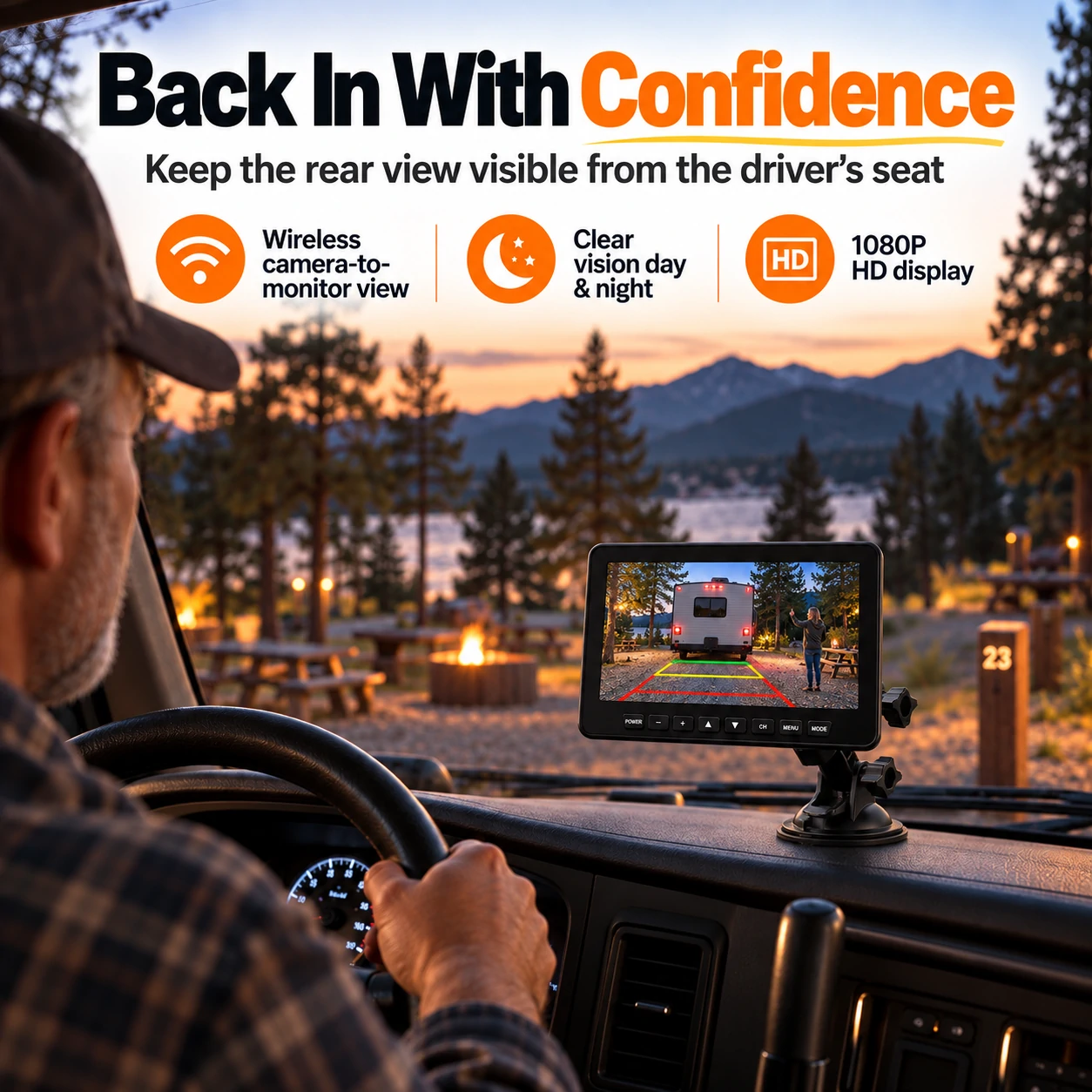
Back into your site.
See the rear scene while positioning your trailer or camper.
Keep your hitch in view.
Choose a suitable camera position to help line up your towing setup.
Use a separate screen.
Check the camera image on a dedicated 7-inch monitor, without opening a phone app.
WATCH BEFORE YOU CHOOSE
A closer look at AM700.
See the supplied product overview, including magnetic attachment and the dedicated rear-view monitor.
KNOW YOUR MOUNTING SURFACE
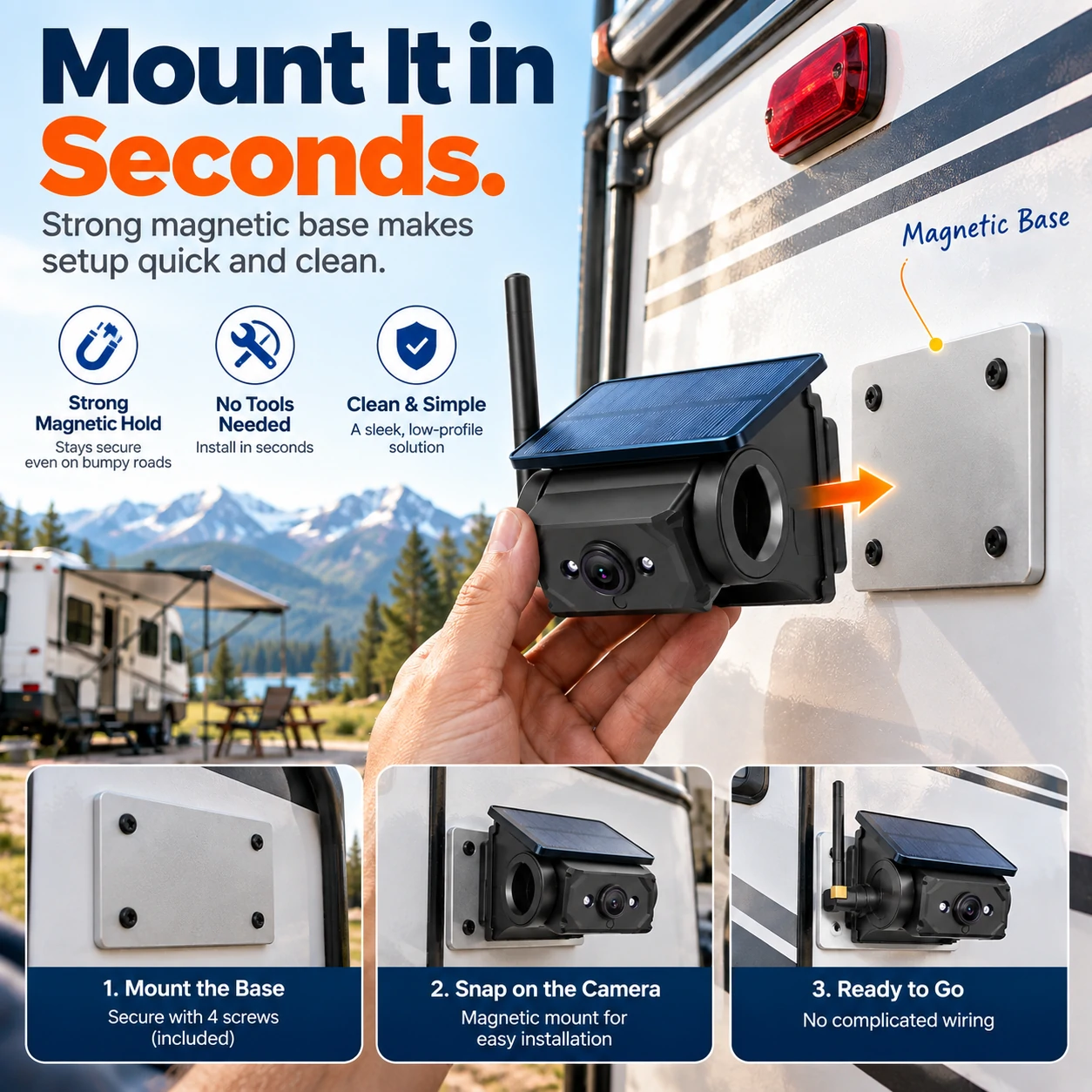
Magnetic attachment.
A secure starting point.
Once a suitable mounting surface is ready, attach the camera magnetically and adjust its angle for the view you need.
Check the fit before ordering.
- The camera needs a suitable ferromagnetic metal surface.
- For fiberglass or aluminum, plan how to securely install the supplied metal mounting plate.
- Keep the antenna clear of metal and test reception at your intended positions.
- Mount the monitor where it will not block controls or the road view.
POWER FOR THE WAY YOU TRAVEL
Solar assistance.
USB when you need it.
The solar panel helps support the camera’s rechargeable battery during outdoor use. Use USB Type-C charging as directed in the manual and check battery levels before setting off.
Plan for charging.
Sunlight, panel position and operating time affect the battery. Wireless video still requires powered components; solar assistance does not guarantee continuous operation.

SEE THE SCENE BEHIND YOU
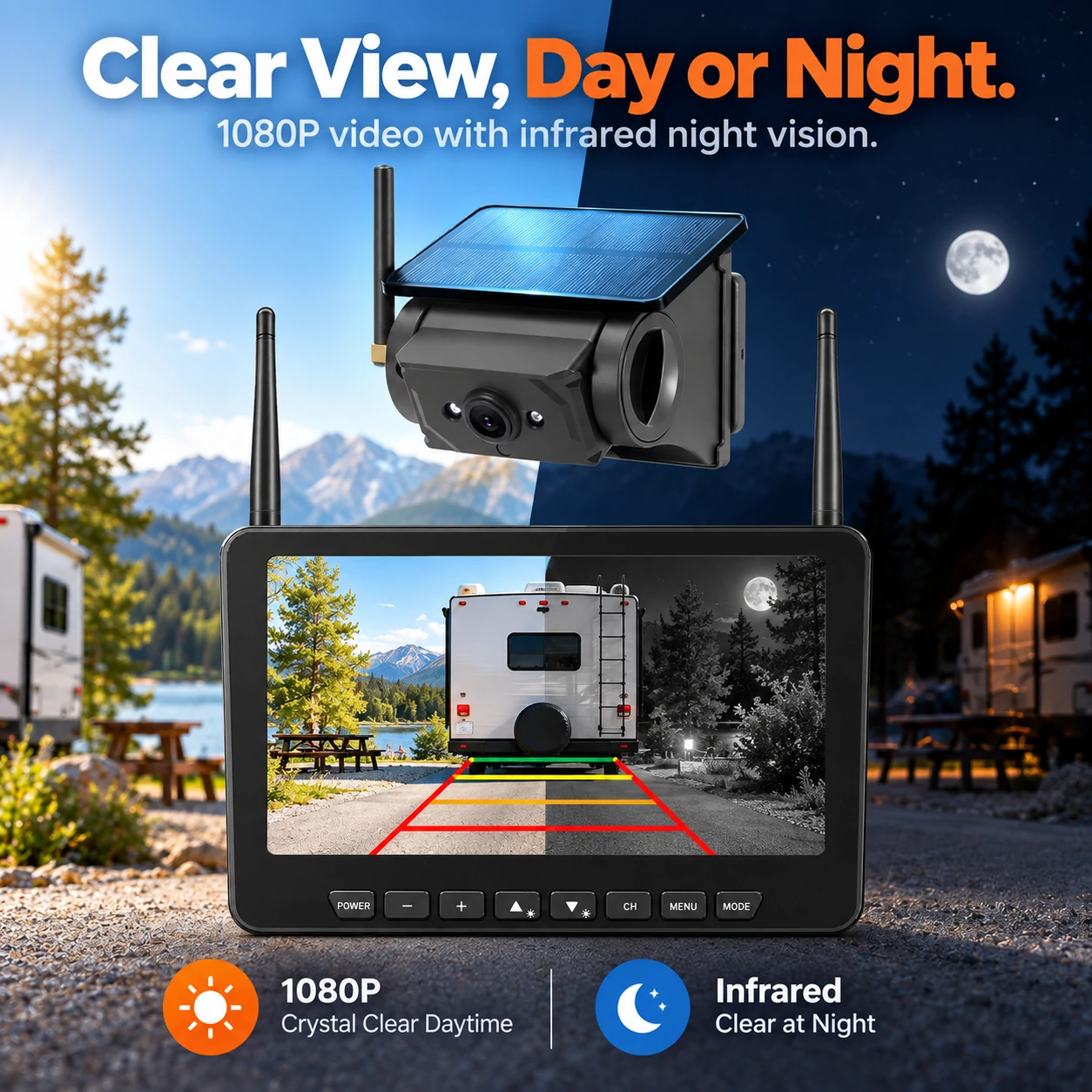
1080p rear view.
Infrared night vision.
Use the camera image to help observe the rear scene in daylight and low light. Position the camera for a clear view, then check the image on your monitor before maneuvering.
Use the screen alongside mirrors and a direct check of your surroundings.
SET UP YOUR VIEW
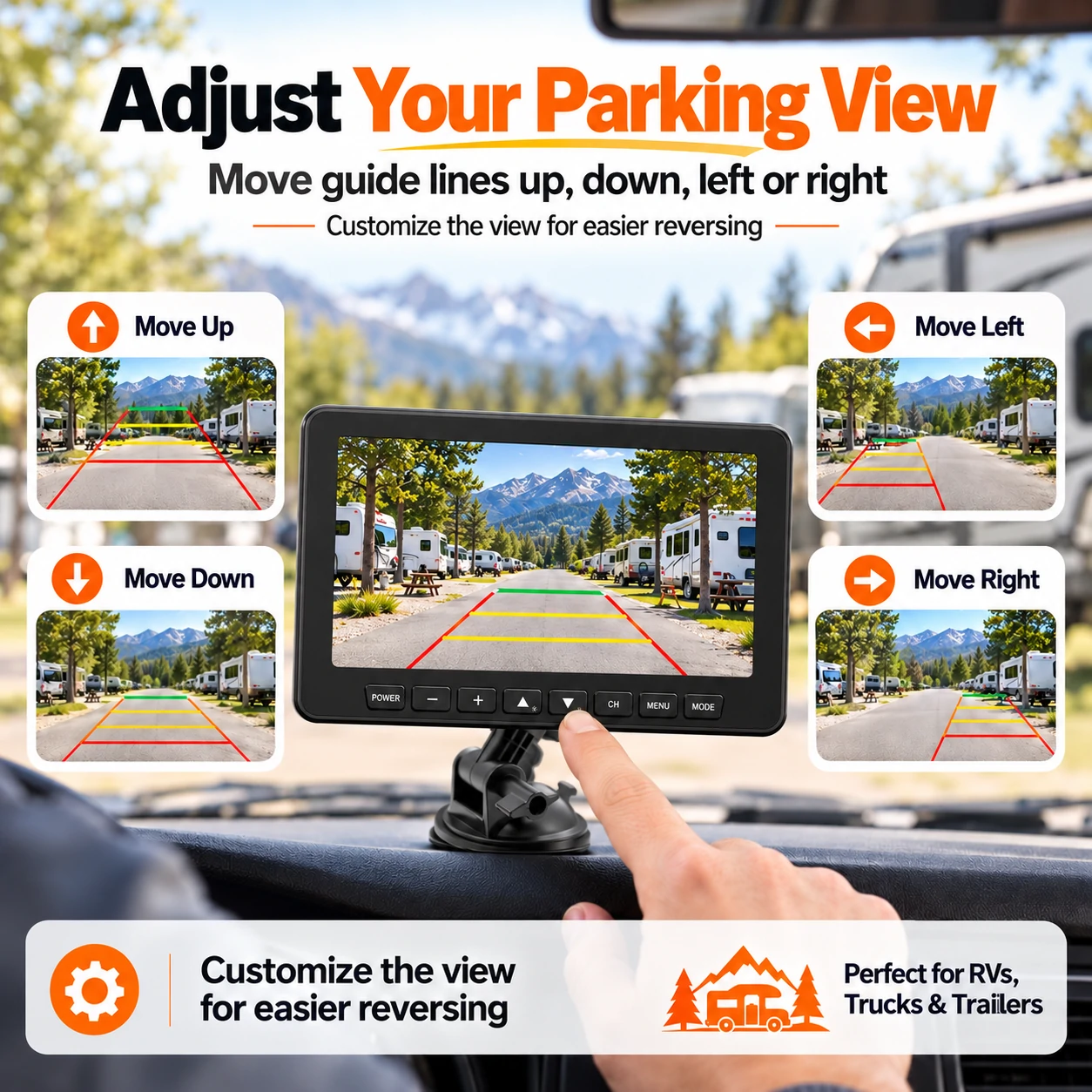
Place the guide lines
where you need them.
Adjust the parking guide-line position to suit your camera placement. Review the on-screen controls in the manual, then test the view in a clear area.
Guide lines are a visual reference, not a distance measurement.
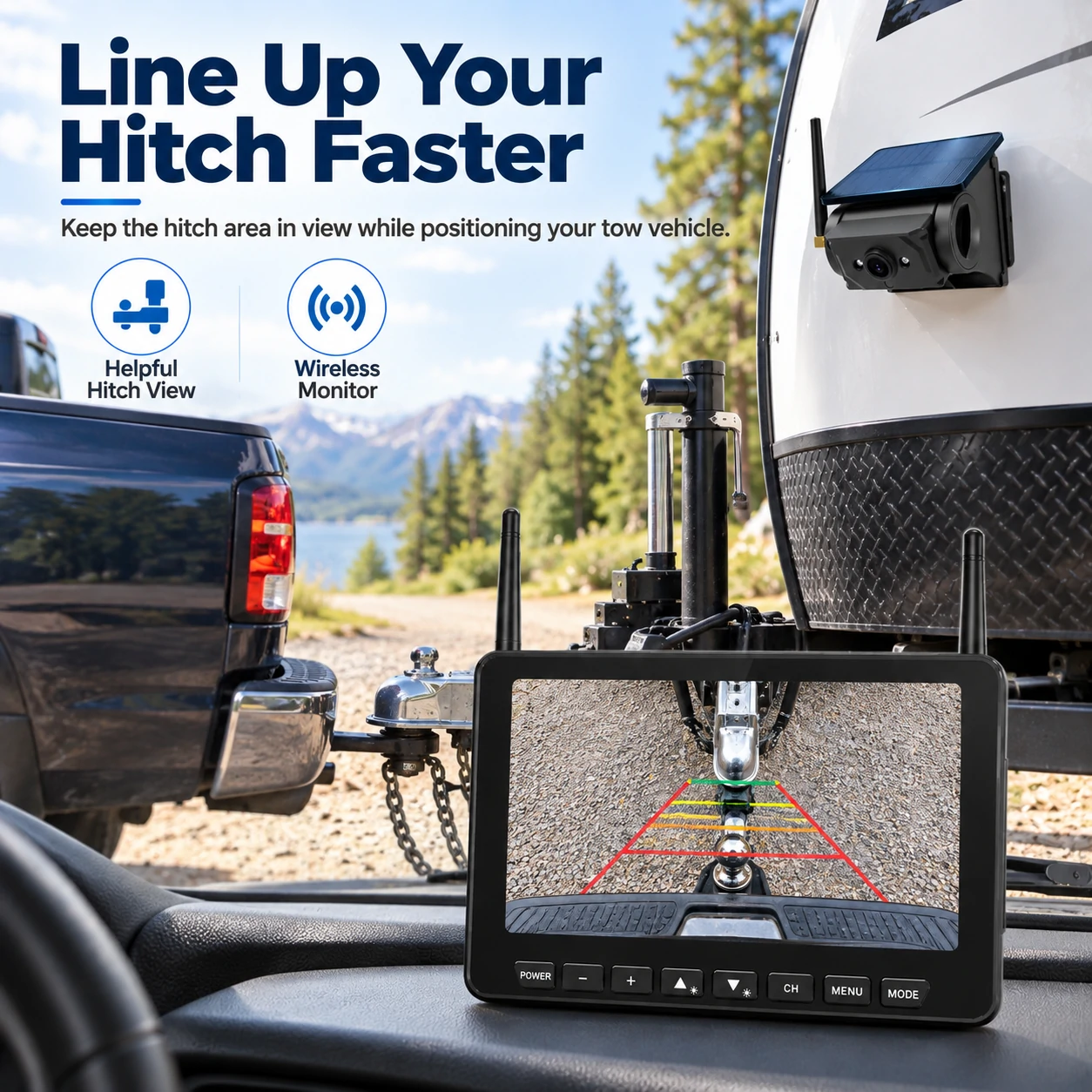
FOR YOUR TOWING SETUP
Keep the hitch area
in view.
A suitable camera position helps you observe the hitch area while positioning your vehicle. Check the mounting point, camera angle and monitor view for your own setup.
CHARGE · MOUNT · PAIR
Make your first setup simple.
Charge the components.
Review the camera and monitor power instructions. Charge before first use and check the indicators.
Secure the camera and monitor.
Prepare a suitable magnetic surface or securely installed plate, attach the camera and adjust its angle. Position the monitor clear of controls.
Pair and check the image.
Follow the manual’s pairing steps. Test reception, viewing angle and guide-line settings before relying on the system during a trip.
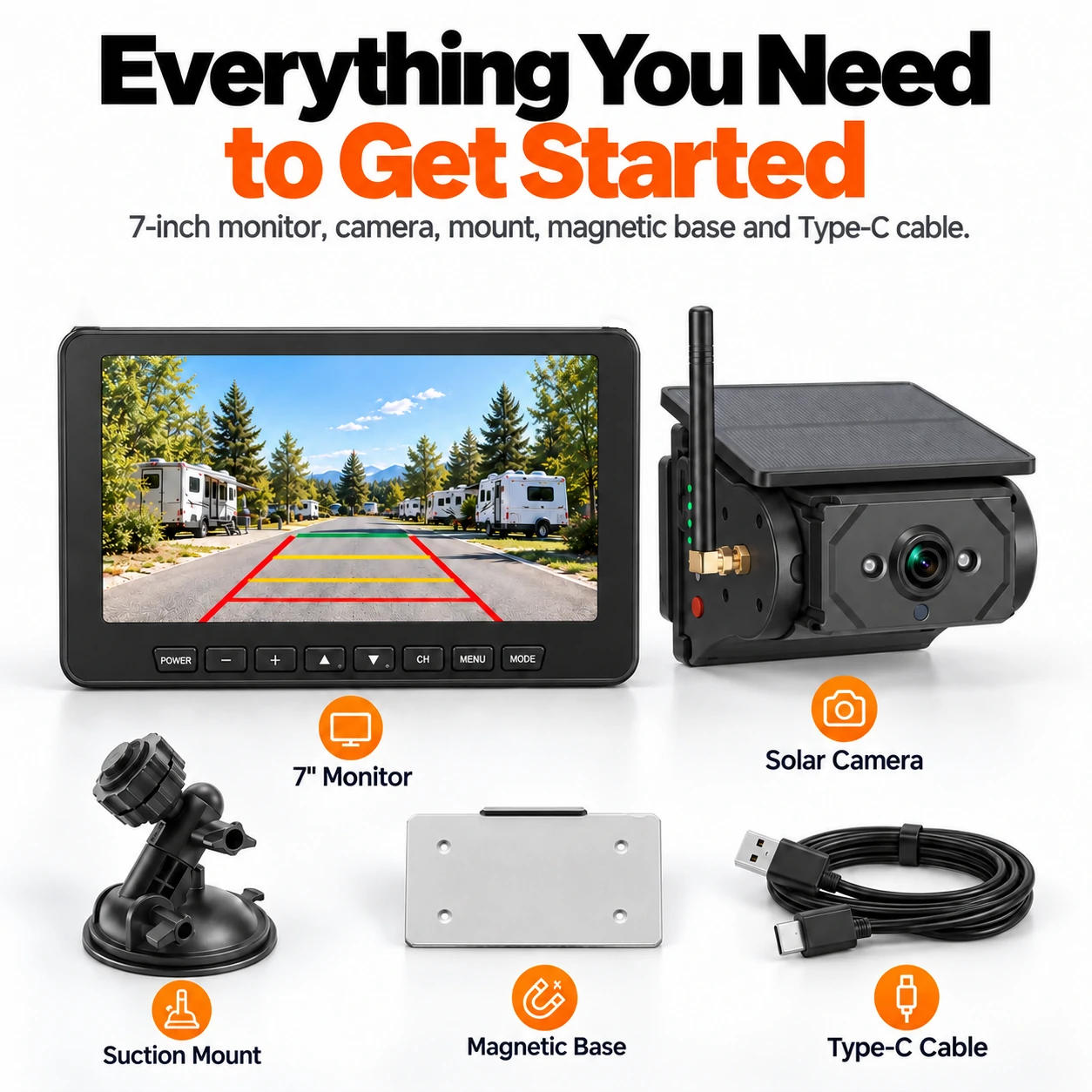
What comes with your kit?
7-inch monitor, solar-assisted camera, suction monitor mount, metal mounting plate and USB Type-C cable. Confirm the supplied components on the current official listing.
AT A GLANCE
The details that matter.
- Model
- AM700
- Monitor
- 7-inch IPS display
- Camera video
- 1080p wireless rear view
- Night viewing
- Infrared night vision
- Camera lens angle
- 120° horizontal / 150° diagonal
- Camera battery
- 9600 mAh nominal rechargeable battery
- Camera charging
- Solar-assisted + USB Type-C
- Mounting
- Magnetic camera attachment; suitable metal surface required
- Leveling transmitter
- Not included in AM700; see AM700PRO
Know what you’re choosing.
AM700 is a rear camera and dedicated monitor system. For camera and RV pitch-and-roll readings on one screen, explore AM700PRO.
Specifications are based on the supplied AM700 manual and product materials. Battery runtime and reception depend on installation and use.
CHOOSE YOUR CAMERA SETUP
Rear view, or rear view plus leveling?
AM700 · Camera + monitor
Choose a magnetic rear camera with a dedicated 7-inch display for backing and hitch alignment.
Check AM700 mounting fit →AM700PRO · Camera + leveling
Add an interior RV leveling transmitter, with camera, leveling and split-screen modes on one monitor.
Explore AM700PRO →Prefer phone-based viewing? Explore WF102 →
BEFORE YOU ORDER
Your AM700 questions, answered.
Review mounting, charging and viewing requirements for your RV.
Do I need a phone app to use AM700?
No. AM700 uses the included 7-inch monitor for the camera feed. Charge the components, complete pairing and test reception following the user manual.
Can the camera attach directly to fiberglass or aluminum?
The magnetic base needs a suitable ferromagnetic metal surface. Fiberglass and aluminum panels do not provide direct magnetic attachment. Review how to secure the supplied metal mounting plate to your RV before buying.
Does solar assistance replace USB charging?
No. The panel helps support the rechargeable camera battery, but charging depends on sunlight, placement and use. Follow the manual for USB charging and check the battery before your trip.
Does the camera need a wired video connection to the monitor?
The camera-to-monitor video connection is wireless. Both components still need power, and the camera needs recharging. Check charging and monitor power details in the manual.
Does AM700 show RV leveling information?
AM700 is a backup camera system and does not include the RV leveling transmitter supplied with AM700PRO. Choose AM700PRO if you want rear camera and pitch-and-roll information on one monitor.
Can I adjust the parking guide lines?
Yes. The supplied product artwork and manual show adjustable guide-line positioning. Set them for your camera placement. Guide lines are a visual reference, not a distance measurement.
Does AM700 have night vision?
The camera has infrared night vision to help show the rear scene in low light. Visibility depends on conditions, camera placement and the scene. Check your surroundings as well as the screen when maneuvering.
How far will the wireless connection work on my RV?
Reception varies with RV construction, obstructions, antenna position and distance. Test the rear camera at your intended mounting and monitor positions before a trip, and keep the camera antenna clear of metal as directed in the manual.
What comes in the kit?
The supplied kit artwork shows a 7-inch monitor, solar-assisted camera, suction monitor mount, metal mounting plate and USB Type-C cable. Check the current official listing for the exact supplied components.
Where do I check price, delivery and returns?
The price button opens the official AM700 product listing. Review its current stock, shipping and return policies, and final checkout total before placing an order. Contact AUTOSIRS Support for installation questions.
Ready for a clearer rear view?
Order AM700 here for $169.99. Review shipping and returns before checkout.