
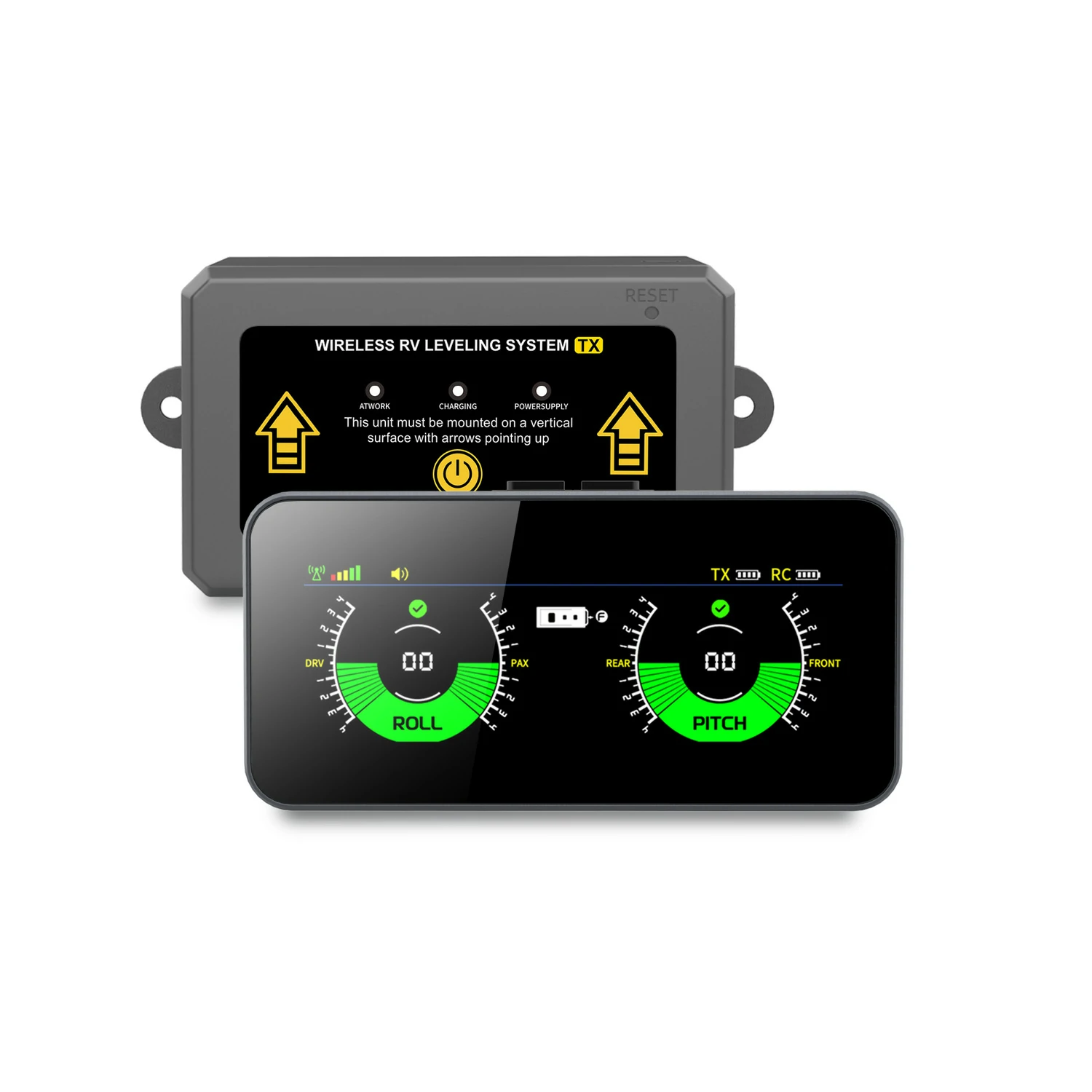
AM50PRO Wireless RV Leveling System
Read your RV’s level.
On a screen of its own.
Keep front-to-back and side-to-side readings in view while you work through your campsite setup.
- Dedicated display with pitch and roll readings
- Separate wireless transmitter inside your RV
- Rechargeable with USB Type-C power
$78.99 · Shipping $7.99 under $99.99; free $99.99+. 30-day returns.
Mount and calibrate before use. AM50PRO displays tilt information while you operate your leveling equipment.
A DEDICATED VIEW OF YOUR SETUP
Keep your phone free.
Keep the readings visible.
Place the display where you can see it clearly. The separate transmitter sends your RV’s leveling information to the screen.
Pitch · Front-to-back angle
Roll · Side-to-side angle

SEE THE PRODUCT IN USE
Watch AM50PRO before you choose.
Explore the display, transmitter and campsite setup in the supplied product video.
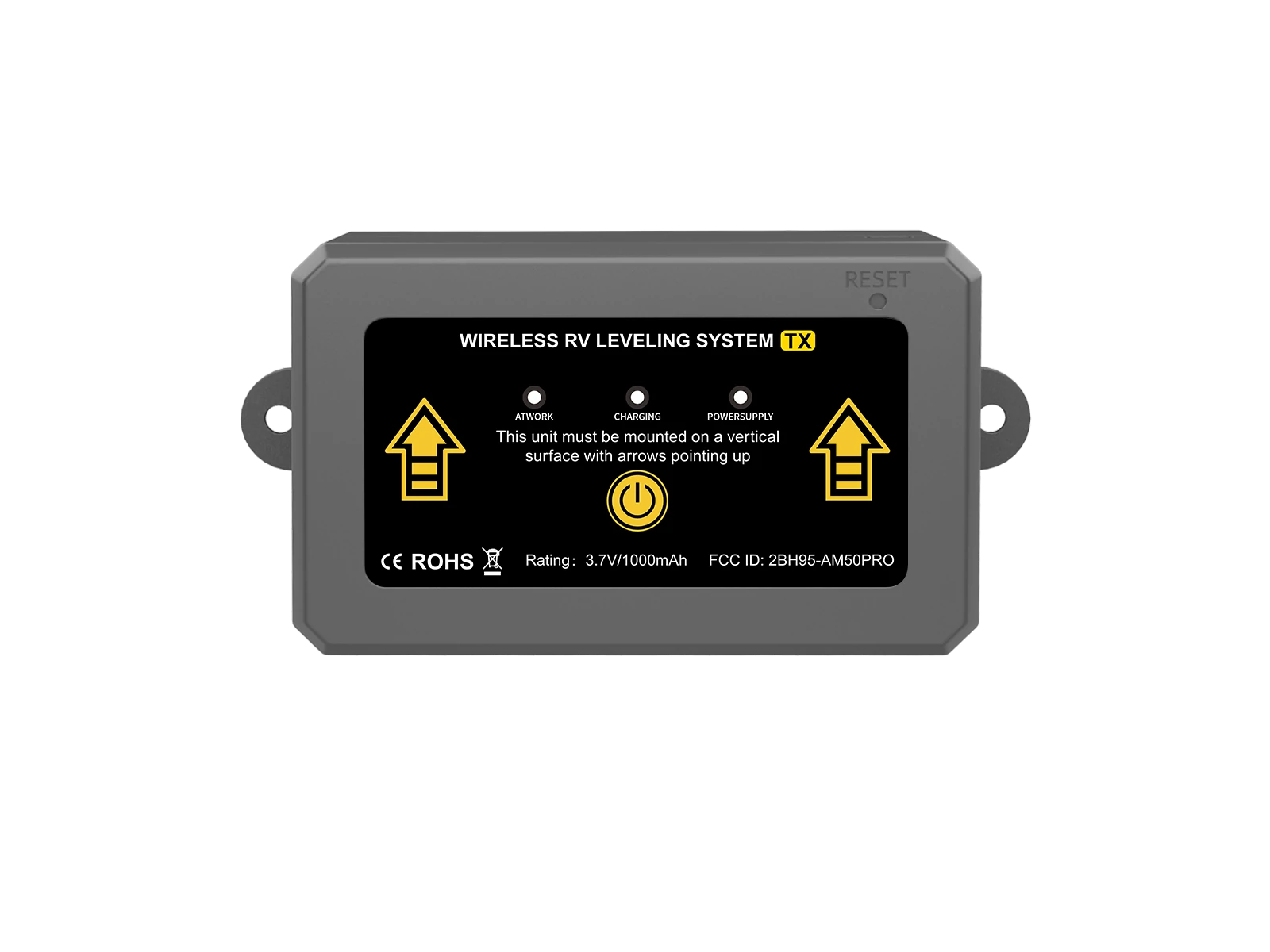
MOUNT · CALIBRATE · CHECK
Start with the right reference.
Install the transmitter.
Mount on a vertical interior wall with the arrow pointing up. Set the transmitter orientation to match your installation.
Position the display.
Choose a clear, secure viewing position. Keep the display and bracket clear of the road view and vehicle controls.
Calibrate and test.
Establish a level RV reference, follow the manual to calibrate, then check the signal and readings at your intended display location.
WHAT’S IN THE BOX
Your dedicated-display kit.
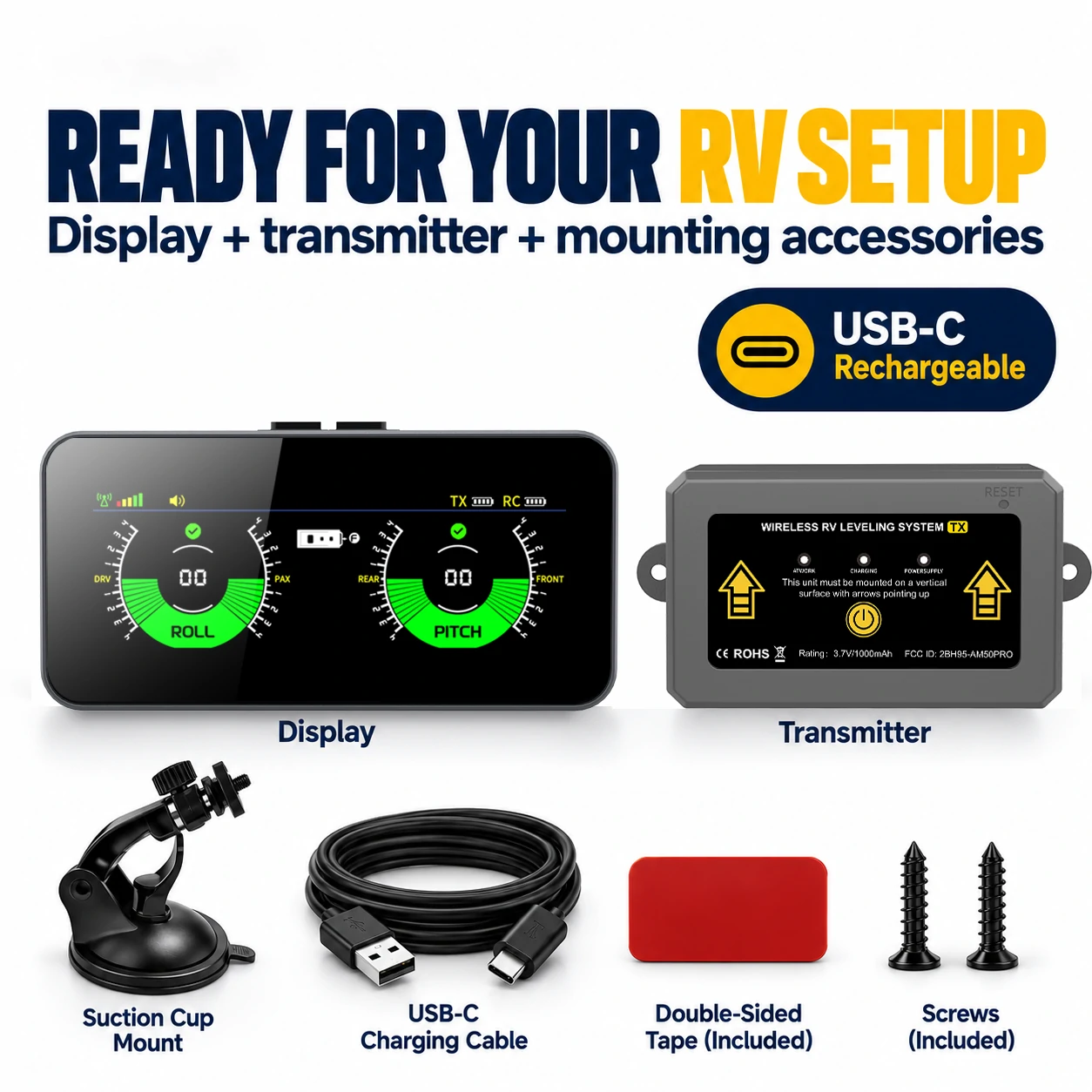
Ready to plan your installation.
- AM50PRO display
- Wireless leveling transmitter
- Suction-cup mounting bracket
- USB Type-C power cable
- Double-sided tape and screws
Review the manual before mounting. Choose suitable attachment points for your RV and confirm the screen is easy to see.
KNOW THE DETAILS
The specifications that matter.
- Viewing method
- Dedicated screen
- Display power
- 3.7 V lithium battery / USB Type-C, 5 V
- Transmitter power
- 3.7 V lithium battery / USB Type-C, 5 V
- Display size
- 127 × 60 × 25 mm / approximately 5.00 × 2.36 × 0.98 in
- Display weight
- 138 g / approximately 4.9 oz
- Transmitter weight
- 106 g / approximately 3.7 oz
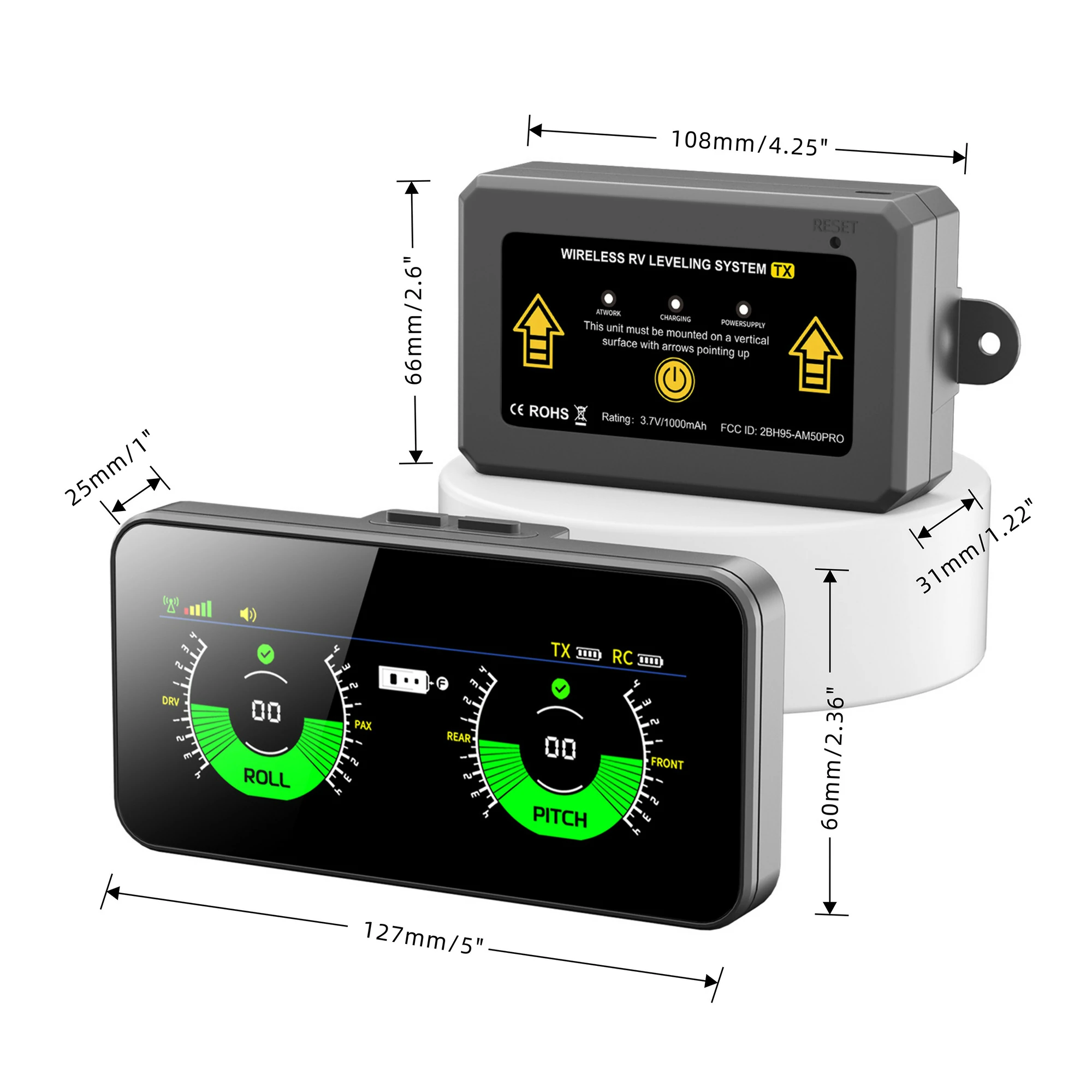
*Actual wireless range varies with installation and obstacles. Display steps describe the readout, not guaranteed measurement accuracy. Source · Supplied AM50-PRO manual and product artwork.
CHOOSE HOW YOU VIEW YOUR READINGS
Dedicated display or phone app?
AM50PRO · Dedicated display
Read pitch and roll on the included screen. A separate transmitter stays inside your RV.
Review AM50PRO setup →AM350X · Phone app
Prefer readings on your phone? Review the AM350X app-guided kit and phone requirements.
Explore AM350X →BEFORE YOU ORDER
Your AM50PRO questions, answered.
Need help with your particular RV setup?
Will AM50PRO level my RV automatically?
AM50PRO shows your RV’s tilt on its display. You adjust your leveling blocks or equipment separately, following your RV manufacturer’s setup instructions.
Do I need a phone app?
No. AM50PRO uses a dedicated display connected to its wireless transmitter. You can read pitch and roll on the included screen.
Where should I install the transmitter?
Install it on a vertical interior wall with the arrow pointing upward. Choose a secure location using the supplied tape or screws and set the transmitter orientation using the manual.
How do I calibrate it?
First establish a level RV reference. Follow the manual’s calibration steps after positioning the transmitter and display. A correct reference is important for meaningful readings.
What does the displayed range mean?
The supplied manual specifies ±4° for the tilt and roll ranges. The display uses 0.1° steps, and the level indication is shown below 0.5°. Display steps describe the readout, not a guaranteed measurement accuracy.
How far can the display be from the transmitter?
Supplied product materials advertise wireless range up to 150 ft. Actual range depends on mounting position, obstacles and the installation. Check the signal at your intended display position before a trip.
Where can I see shipping, returns and order details?
Review our shipping policy and returns policy before ordering. Contact Support for product or installation questions.
Ready to check AM50PRO?
Order AM50PRO directly from AUTOSIRS. Review shipping and returns at checkout.